
The Aptible UI now has a Home dashboard, a place that gives you a snapshot of your infrastructure, costs, recent activity, and compliance posture right when you log in.
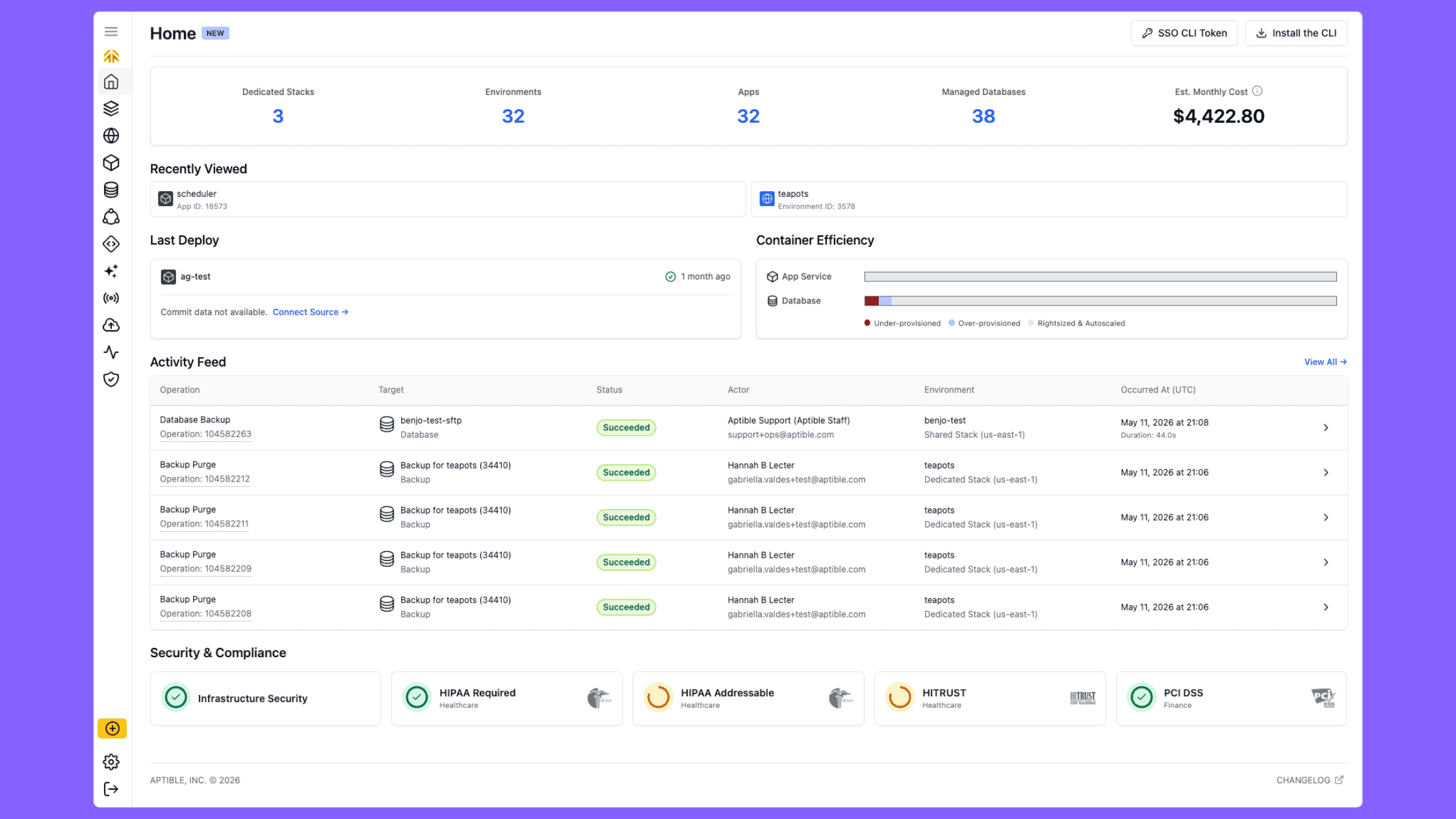
Here's a breakdown of what's included and why.
Infrastructure Overview
The primary motivation here was cost visibility. Your estimated monthly cost is front and center. Alongside that, we surface a count of your stacks, environments, apps, and databases: the resources that make up that number.
Recently Viewed
A simple one: we wanted to give you an easy way to jump back in. Apps and databases you've visited recently are pinned on the dashboard so you can get back to what you were doing without navigating through environments to find the right resource.
Last Deploy
The Last Deploy widget surfaces the most recent deployment across your org: the app that was deployed, whether it succeeded or failed, and the source data behind it. If your app is connected to a source, you'll see the repo and commit info directly on the dashboard, with a link to navigate straight to the relevant commits.
Activity Feed
We recently shipped a major refresh of the Activity page with expanded operation coverage, unlimited lookback, SIEM integration, and more.
The home dashboard activity feed is a natural extension of that work: a live snapshot of recent operations across your org so you don't have to navigate to the Activity page just to check what's happening. Queued, running, and failed operations are all visible at a glance, making it easy to catch a problem early. The full logs are one click away.
Security & Compliance
We're in the middle of a broader refresh of the Security & Compliance dashboard, and it made sense to pair that work with a summary widget on the home screen. The widget shows the status of your active frameworks and surfaces when action is needed, like setting up a dedicated stack to satisfy a requirement.
This release also includes new scoring for PCI DSS (shown for all accounts) and PIPEDA (shown for accounts with Canadian resources).
The widget also includes downloadable Aptible compliance badges so you can showcase your compliance posture.
Getting Started
For new users, the dashboard includes a getting started checklist to help you orient and work through the initial setup steps. It's designed to give new accounts a clear path forward without having to piece together documentation or figure out what to do next on their own.
The home dashboard is live for all Aptible customers. Log in at app.aptible.com and you'll land there automatically. Have feedback? Share it on our public roadmap.