
Until today, Apps on Aptible have always run on an ephemeral filesystem. That meant anything a container wrote to disk outside of an attached database disappeared the moment the container restarted, was redeployed, or was recycled - often.
We are happy to announce that App Services can now attach a Persistent Disk, a durable volume that survives deploys, restarts, and container recycles.
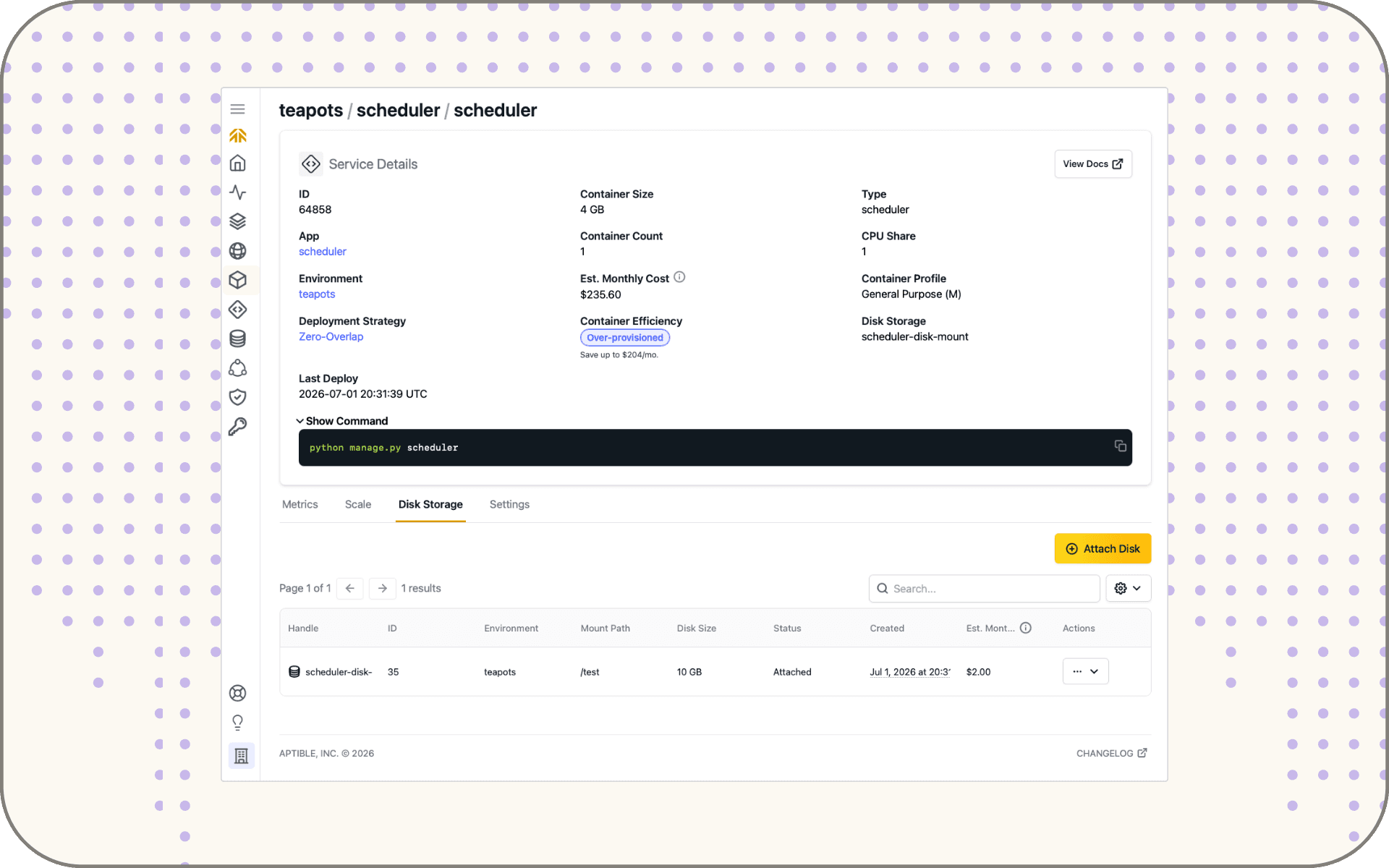
Persistent Disks are now generally available to all organizations. You can create and attach one from the Dashboard right away.
The problem this solves
Aptible's ephemeral-by-default filesystem is the right model for most apps: stateless containers are easier to scale, recover, and reason about.
But some workloads need to keep files on local disk between restarts, and until now, the only durable storage option on Aptible was a Managed Database. That's a mismatch in a lot of use cases, most commonly, hosting third-party tools (like search engines like Typesense or Meilisearch, or local data directory tools like JuypterLab).
Persistent Disks give these workloads a home without forcing you to re-architect them around object storage or a database they don't actually need.
How it works
When you create a Persistent Disk, you specify the Service it attaches to, the size in GB, and a mount point inside the container, such as /var/data.
Under the hood, each Persistent Disk is an AWS EBS gp3 volume, encrypted at rest.
A Service can have at most one Persistent Disk, and a disk can attach to only one Service at a time, with exactly one mount point per attachment. The mount point is set at attach time and can't be changed in place. Moving to a new path means detaching, reattaching, and updating your app code.
Notably, this isn't a solution for hosting a custom database, and it isn't necessarily a replacement for S3. And if you need backups of your data, it’s important to note Aptible doesn't back up Persistent Disks the way it does Managed Databases. Review the docs for more information on limitations: https://www.aptible.com/docs/core-concepts/apps/persistent-disks#when-to-use-a-persistent-disk
Getting started
Get started right away within the Aptible dashboard. Select the Service, set a size, and set a mount point.
For more information, including resizing, detaching, and permission details, check out the docs.