

Overview
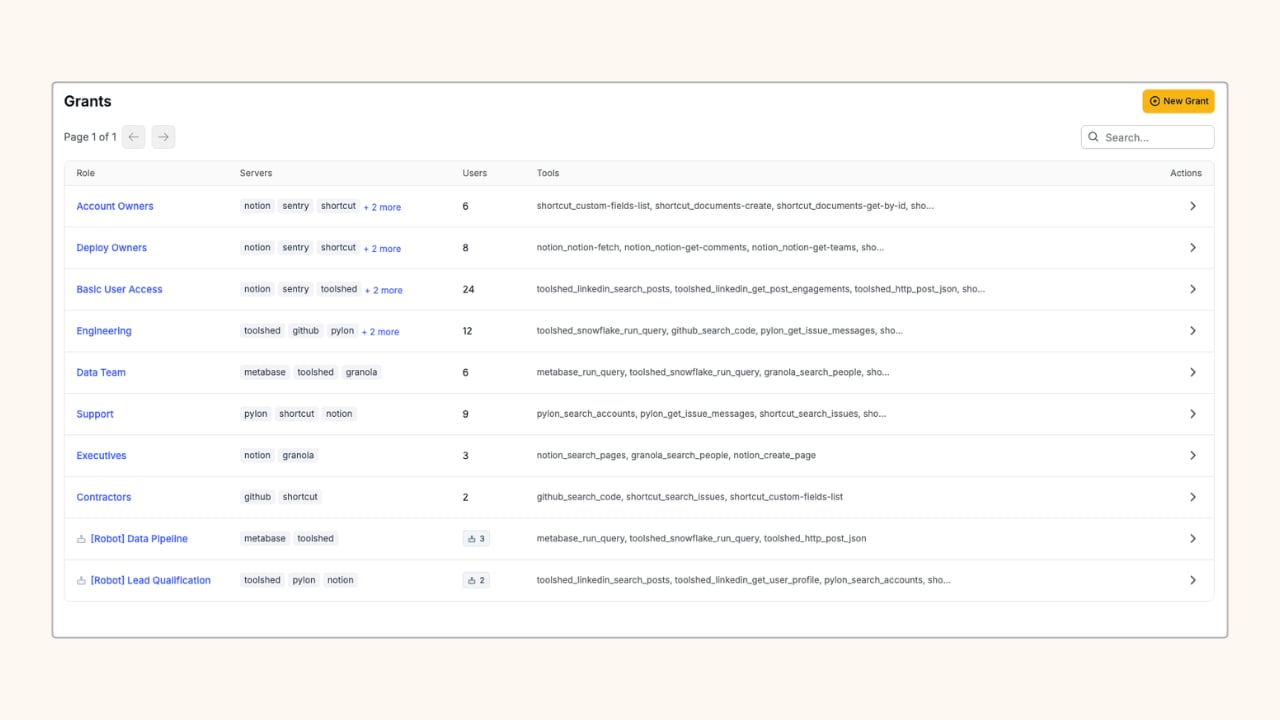
A grant is the record that authorizes a set of members to call a specific set of tools. If no grant exists for a caller on a given tool, the call is rejected. There is no implicit access.Account Owner or Admin permission is required to create and manage grants.
- Users & Robots: the people and automated accounts attached to the grant
- Tools Allowed: the specific tools members can call, selected per server
Create a Grant
Create a new grant (Admins only)
Create a new grant (Admins only)
1
Open the Grants page
In the Aptible dashboard, navigate to MCP > Grants and click New Grant.
2
Name the grant
Enter a Grant Name that describes the scope (e.g.
GitHub (Eng), Toolshed (Owners)).3
Add users and robots
Under Users & Robots, search for and select the members who should receive this grant. Both user accounts and robot accounts appear in this list.
4
Choose tools and save
Under Tools Allowed, expand the servers you want to include. Select individual tools, or check Select all tools (wildcard *) to allow all current and future tools on that server. Click Save to apply the grant.
Related
Membership
Create robots and API keys to add to your grants.
Audit Logging
See every tool call made by grant members.