

Overview
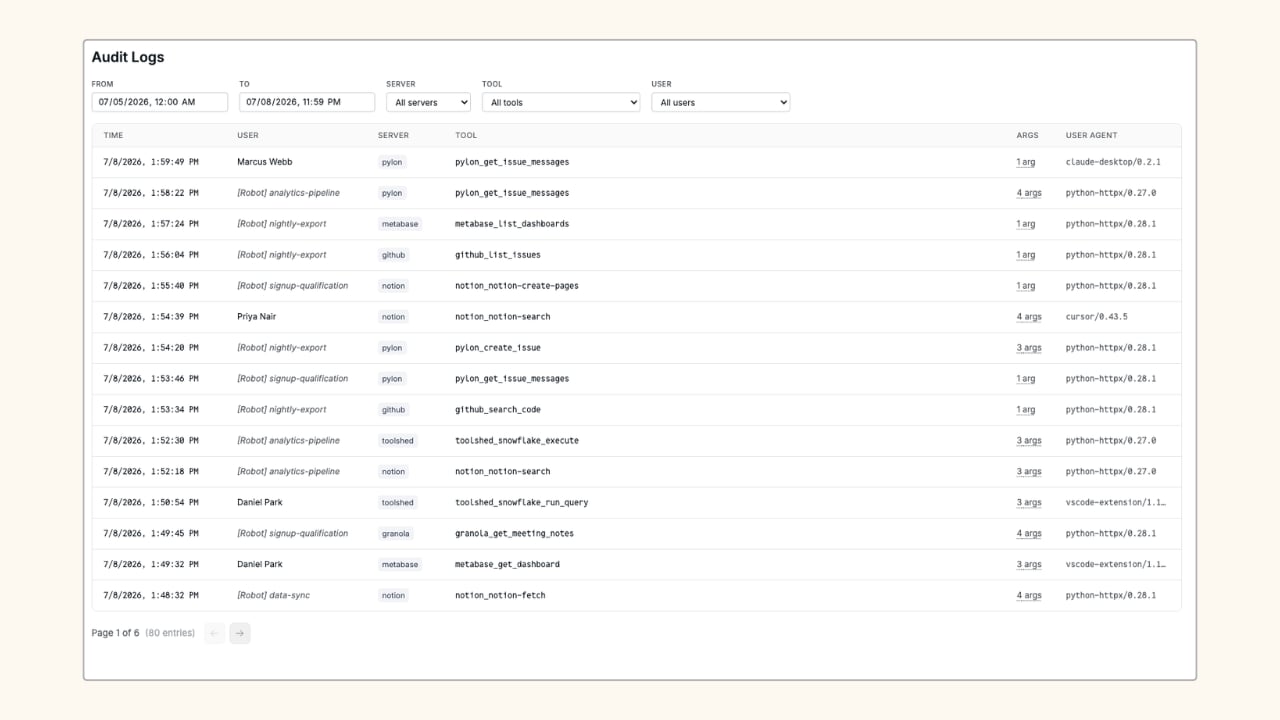
Account owners can see all tool calls across the organization. End users see only their own activity.
What Gets Logged
Each log entry captures:- Time: when the call was made
- Server: the server the tool belongs to
- Tool: the full namespaced tool name (e.g.
github_get_file_contents) - Args: the number of arguments passed (arguments are stored encrypted)
- User Agent: the MCP client making the request
Filter Logs
Use the filter controls at the top of the page to narrow the log view:- From / To: date and time range pickers
- Server: dropdown to filter to a specific server
- Tool: dropdown to filter to a specific tool
Retention and Export
Audit logs are retained within the dashboard. To export logs or send them to an external destination for long-term retention, contact Aptible Support.Related
Grants
Control which tools each user or agent can call.
Membership
Manage the users, robots, and API keys that appear in logs.