
Overview

MCP Gateway Overview
The MCP Gateway is in early access and available as a standalone product. No existing Aptible infrastructure required. Join the waitlist → and our team will reach out!
Aptible’s MCP Gateway gives you control over how your team and AI agents access MCP servers. Instead of connecting MCP servers directly to your AI client (like Claude Code or Claude Desktop), you route those calls through the gateway, where access is enforced and every tool call is logged. The gateway sits between your agents and your upstream MCP servers. When an agent makes a tool call, the gateway checks whether that caller is allowed to use that tool, forwards the request if they are, and writes an audit log entry regardless. Three concepts control how this works:
  • Servers & Tools: the upstream MCP services you register with the gateway, and the individual tools each one exposes
  • Access Control: grants that scope which tools a user or robot can call
  • Audit Logging: a full record of every tool call routed through the gateway
When an agent authenticates and calls a tool, the gateway resolves the caller’s grants in real time and either forwards the call or rejects it.

What is MCP?

Model Context Protocol (MCP) is an open standard that lets AI agents discover and call external tools at runtime, such as reading files, querying a database, creating a GitHub issue, or searching your knowledge base. Instead of hardcoding integrations into your AI client, MCP lets any compatible client connect to any compatible server using a common protocol. The problem is that MCP servers run with real credentials and can take real actions. Without a control layer, there is no way to enforce who can call what, no record of what happened, and no way to prevent a user or agent from wiring in a server your organization never approved. An unmanaged MCP setup also has a meaningful prompt injection risk: a malicious tool description or server response can instruct an agent to call tools outside its intended scope. The MCP Gateway addresses these problems at the proxy layer, where restricted tools are structurally unavailable, not just hidden from the client’s view.

Features

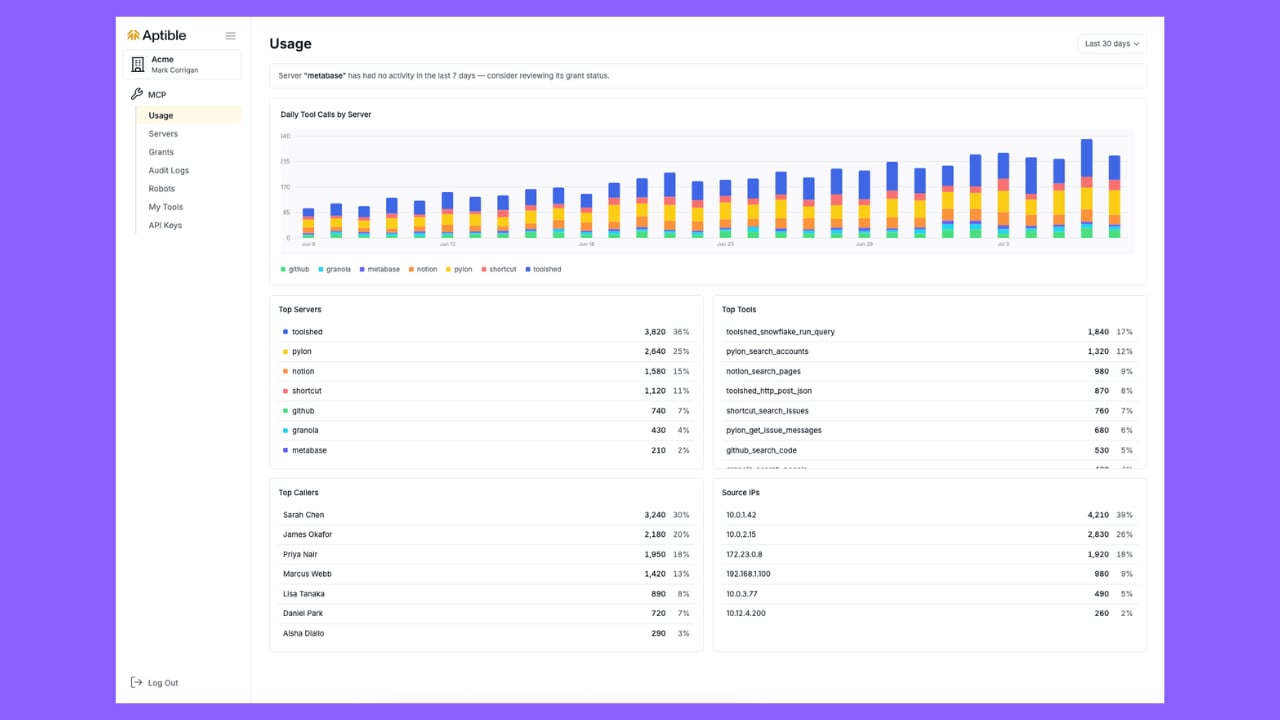
Security Model

The MCP Gateway is built on the principle that AI agents should not have more access than they need and that every action they take should be recorded.

Access Control

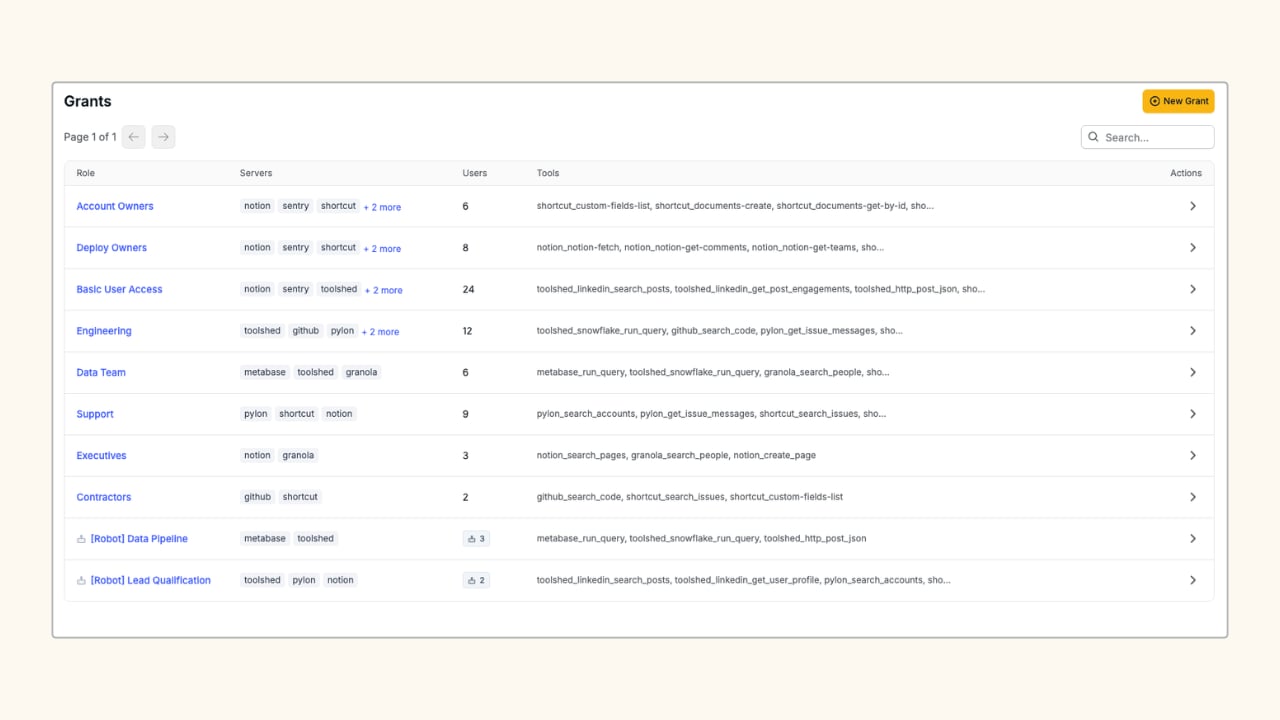
MCP Grants
Grants let you give each user or agent access to exactly the tools they need. For example, a developer connecting to your GitHub server might get read access to repositories but not the ability to merge pull requests. Robot accounts and API keys extend the same model to automated pipelines and agents. Issue a scoped token per identity and rotate or revoke it at any time without touching your agent code. Learn more about Access Control →

Audit Logging

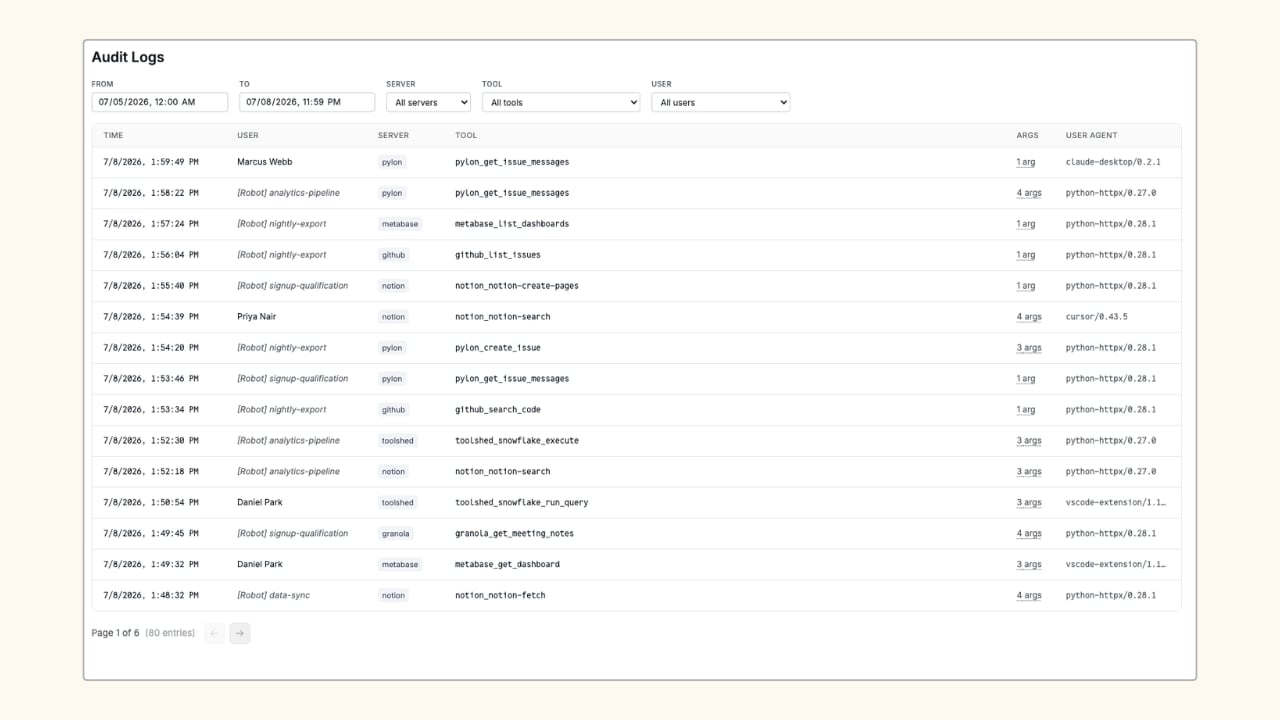
MCP Audit Logs
Every tool call is logged: who called it, which tool, what arguments were passed, when, and from which IP. Logs are available in the dashboard and can be filtered by user, server, tool, or date range. Account owners see all calls across the organization; individual users see their own. Learn more about Audit Logging →

Works with any MCP-compatible client

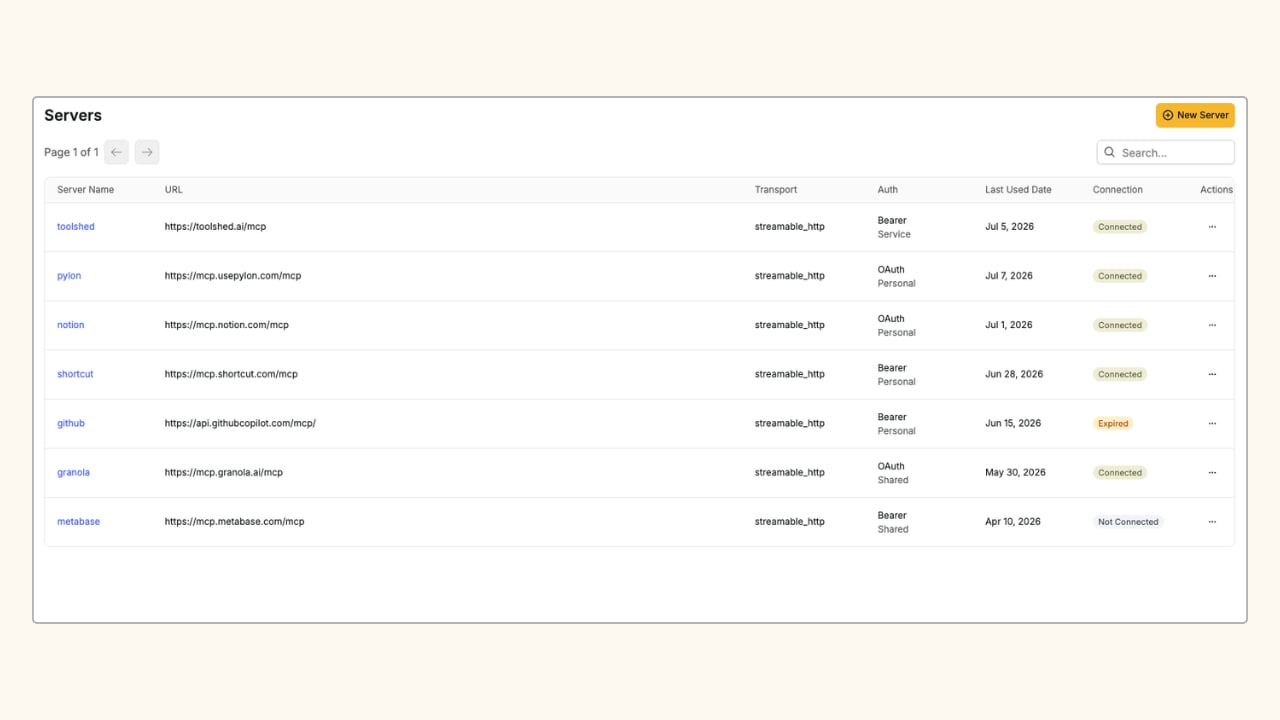
MCP Servers
The gateway exposes a standard MCP endpoint, so any MCP-compatible AI client (Claude Desktop, Claude Code, custom agents, or your own tooling) can connect using a bearer token. Common upstream servers customers wire up through the gateway include GitHub, Notion, Sentry, Short, and Granola, but any server that speaks MCP will work. Learn more about Servers & Tools →

Deploying with MDM

MDM is how you enforce that all MCP traffic flows through the gateway. Both Claude Desktop and Claude Code read their MCP server configuration from a JSON file on disk. Your MDM pushes that file to every machine, pre-populated with your gateway endpoint and a scoped token. Because MDM-managed files can be locked, users cannot add unmanaged servers or replace the token with a personal one. Once deployed, every MCP tool call from that machine is authenticated with the org token, checked against the user’s grants, and written to the audit log.

Support and Feedback

We’d love to hear from you as you use the MCP Gateway. If you have questions, run into issues, or have feature requests, contact us.