Platform Improvements: April 2026
Token generation & SIEM setup
Setting up a SIEM integration for Activity is now simpler. Any user can now generate a long-lived Activity Logs token directly from Settings → Tokens, without a special role. The token grants read-only access to the activity logs that the user can already see, along with the organizational metadata needed to retrieve them.
For organization-wide coverage, create a dedicated service user and add them to the Activity Log Viewer role - a built-in role purpose-built for SIEM use cases. This built-in role provides read-only access to all activity across your organization and is purpose-built for use cases like SIEM integrations.
Tokens can be valid for up to a year. If one expires, your integration will resume from its last saved position as soon as you rotate in a fresh token to ensure no activity gaps.
Deleted resource visibility
Operations logs for deleted resources are now surfaced on the Activity page, with a 90-day lookback window. Deleted databases also have a new dedicated Backups tab where you can restore or purge backups directly.
Dashboard home improvements
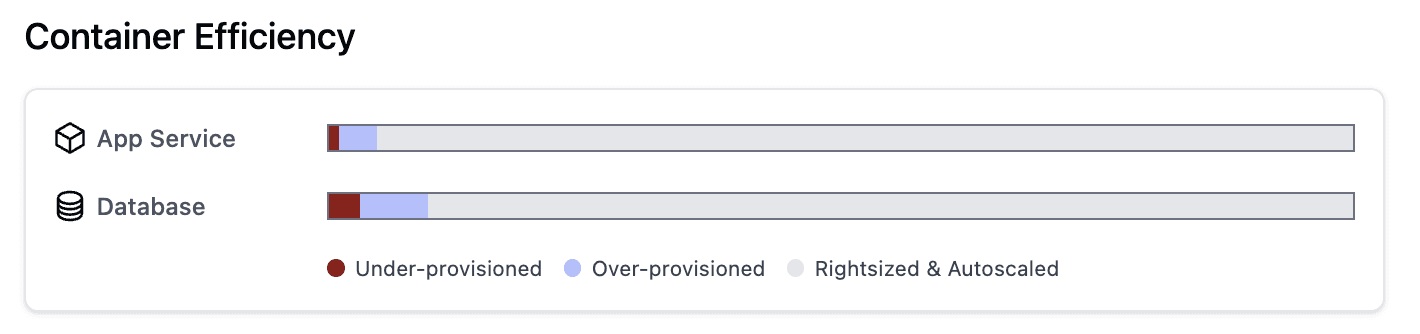
New Container Efficiency widget for at-a-glance resource utilization:
The Activity Feed table has been updated to match the full Activity page.
Improved container profile selection
When selecting a container profile (M, C, or R) in the UI, generation (legacy or non-legacy) is no longer available as a selection. Instead, Aptible will always attempt to choose the latest supported generation with available capacity. If you specify a generation via the CLI (as an argument to --container-profile), the generation will be ignored. For example, m5 will be interpreted simply as m.
DEPRECATION NOTICE: Starting with v0.9.23, the Aptible Terraform provider will no longer accept container profiles with generation numbers (e.g. m4, m5, r5, c5, etc.) as arguments to container_profile for aptible_app and aptible_database resources. If you upgrade your provider you will be forced to select m, r, or c.