

Overview
Point-in-Time Recovery (PITR) lets you restore a PostgreSQL database to a specific moment in time instead of restoring only to the timestamp of a snapshot backup. On Aptible, PITR uses PostgreSQL write-ahead log (WAL) archives together with snapshot backups in two stages:- Aptible restores a new database from the latest qualifying backup before your target time.
- Aptible then replays archived WAL data up to the time you selected.
PITR creates a new database. It does not overwrite or roll back the source database in place.
How PITR Relates to Backup Retention
PITR depends on the same Environment-level backup retention policy used for automatic backups. To use PITR:- The database must have backups enabled
- The database must already have retained WAL archive history for the time you want to recover to
- The database must be in a PITR-capable state. See PITR States and Required Actions below.
In the current Dashboard UI, PITR retention appears in the Environment backup retention policy.
PITR States and Required Actions
If PITR is not enabled for your database, it will be in one of the states below. In these states, one or more prerequisites for performing PITR are not satisfied.New PostgreSQL databases created through the Dashboard are initialized for PITR automatically when the Environment is already configured to retain PITR data.
Restoring with PITR
In the Aptible Dashboard:- Navigate to the Environment that contains the source database.
- Select the database you want to recover.
- Select the Recovery tab.
- Enter a name for the new database.
- Choose the Target Time (UTC). For guidance on selecting a target time, see Choosing a Recovery Time below.
- Select Start Recovery.
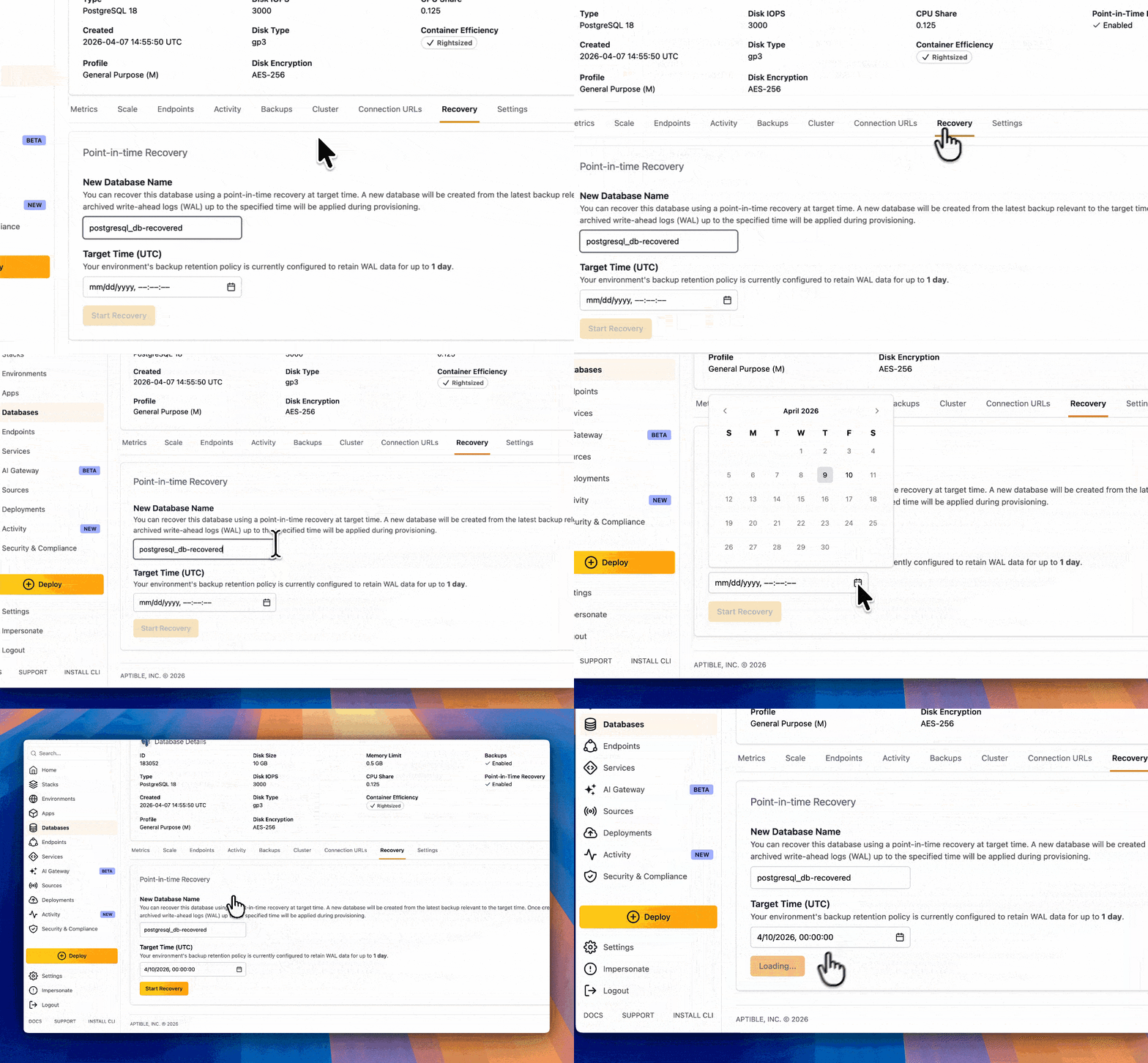
Choosing a Recovery Time
When choosing a target time:- You can recover only to times on or after the database’s oldest available WAL archive time.
- In practice, choose a timestamp before the transaction or change you want to avoid restoring.
- WAL archiving happens asynchronously. Under normal conditions, WAL is available for PITR within about 5 minutes of a committed transaction.
- If you need to target a time within the last 5 minutes, the recovery may not succeed.
What to Expect During Recovery
PITR runs in two stages behind the scenes:- A new database is created from a qualifying snapshot backup.
- Archived WAL data is replayed during provisioning until the requested recovery time is reached.
Troubleshooting Insufficient WAL
If Aptible cannot replay enough WAL data to reach the requested time, the recovered database can fail to start. One log message you may see is:- Do not retry the recovery yourself through the UI.
- Leave the failed recovered database in place.
- Contact Aptible Support.