
Documentation Index

Fetch the complete documentation index at: https://www.aptible.com/docs/llms.txt

Use this file to discover all available pages before exploring further.

Learn how to delete/deprovision environments

Using the Dashboard

⚠️ Ensure you understand the impact of deprovisioning each resource type and make any necessary preparations, such as exporting Database data, before proceeding
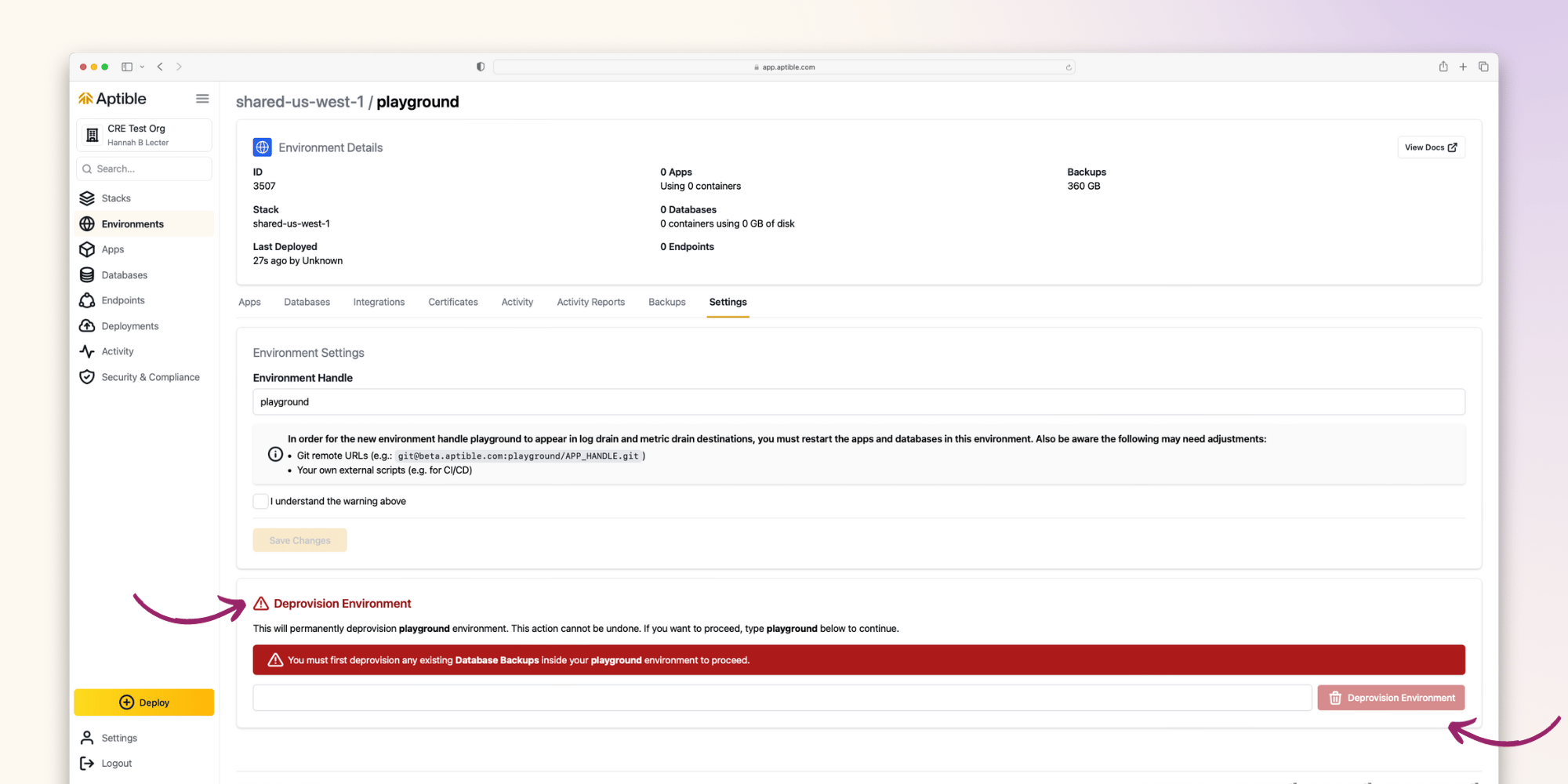
An environment can only be deprovisioned from the Dashboard by:
  • Navigating to the given environment
  • Selecting the Settings tab
  • Selecting Deprovision Environment
📘 An environment can only successfully be deprovisioned once all of the resources within that Environment have been deprovisioned. The following guide describes how to deprovision each type of resource.