> ## Documentation Index
> Fetch the complete documentation index at: https://www.aptible.com/docs/llms.txt
> Use this file to discover all available pages before exploring further.
# How to set up a self-hosted Elasticsearch Log Drain with Logstash and Kibana (ELK)
> This guide will walk you through setting up a self-hosted Elasticsearch - Logstash - Kibana (ELK) stack on Aptible.
## Create an Elasticsearch database
Use the [`aptible db:create`](/reference/aptible-cli/cli-commands/cli-db-create) command to create a new [Elasticsearch](/core-concepts/managed-databases/supported-databases/elasticsearch) Database:
```
aptible db:create "$DB_HANDLE" --type elasticsearch
```
> 📘 Add the `--disk-size X` option to provision a larger-than-default Database.
## Set up a log drain
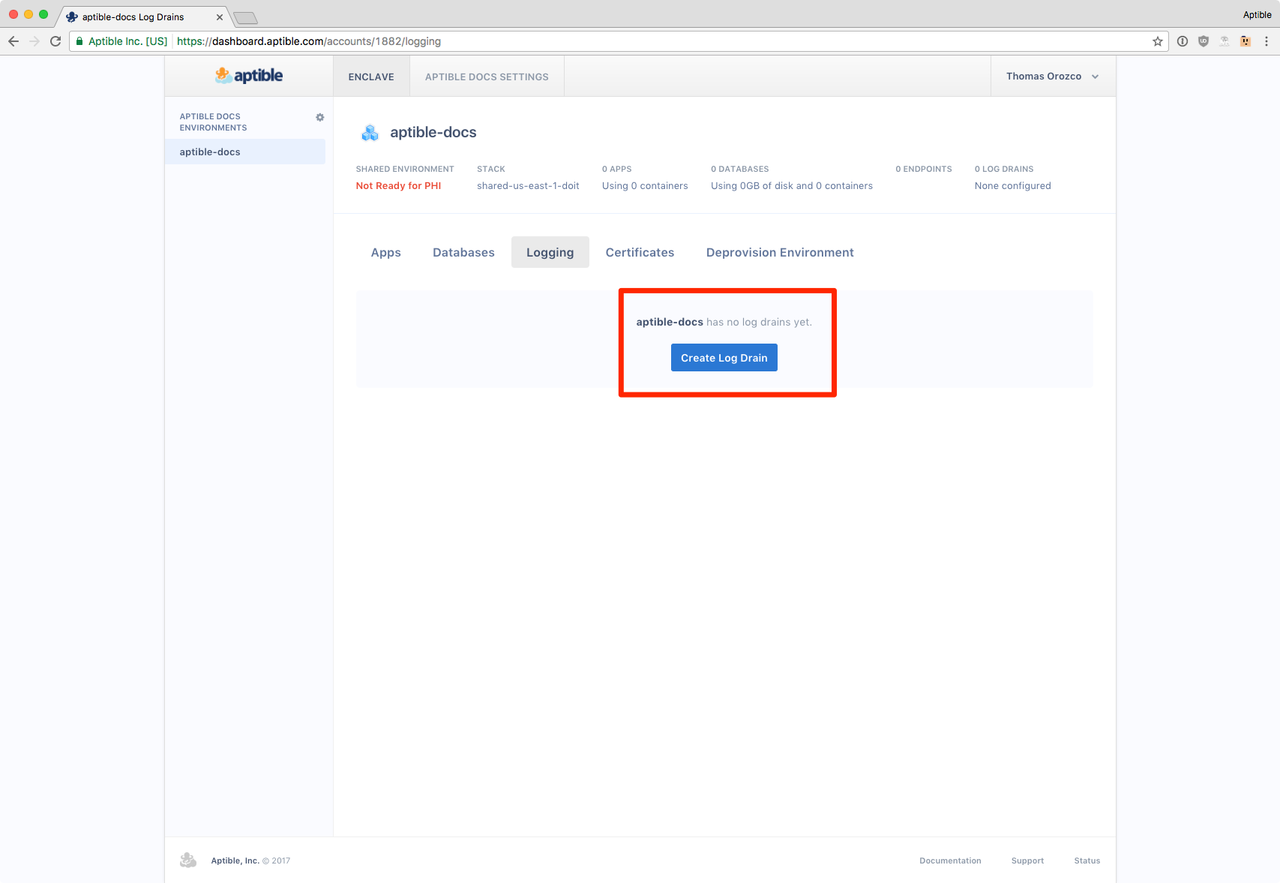
**Step 1:** In the Aptible dashboard, create a new [log drain](/core-concepts/observability/logs/log-drains/overview):
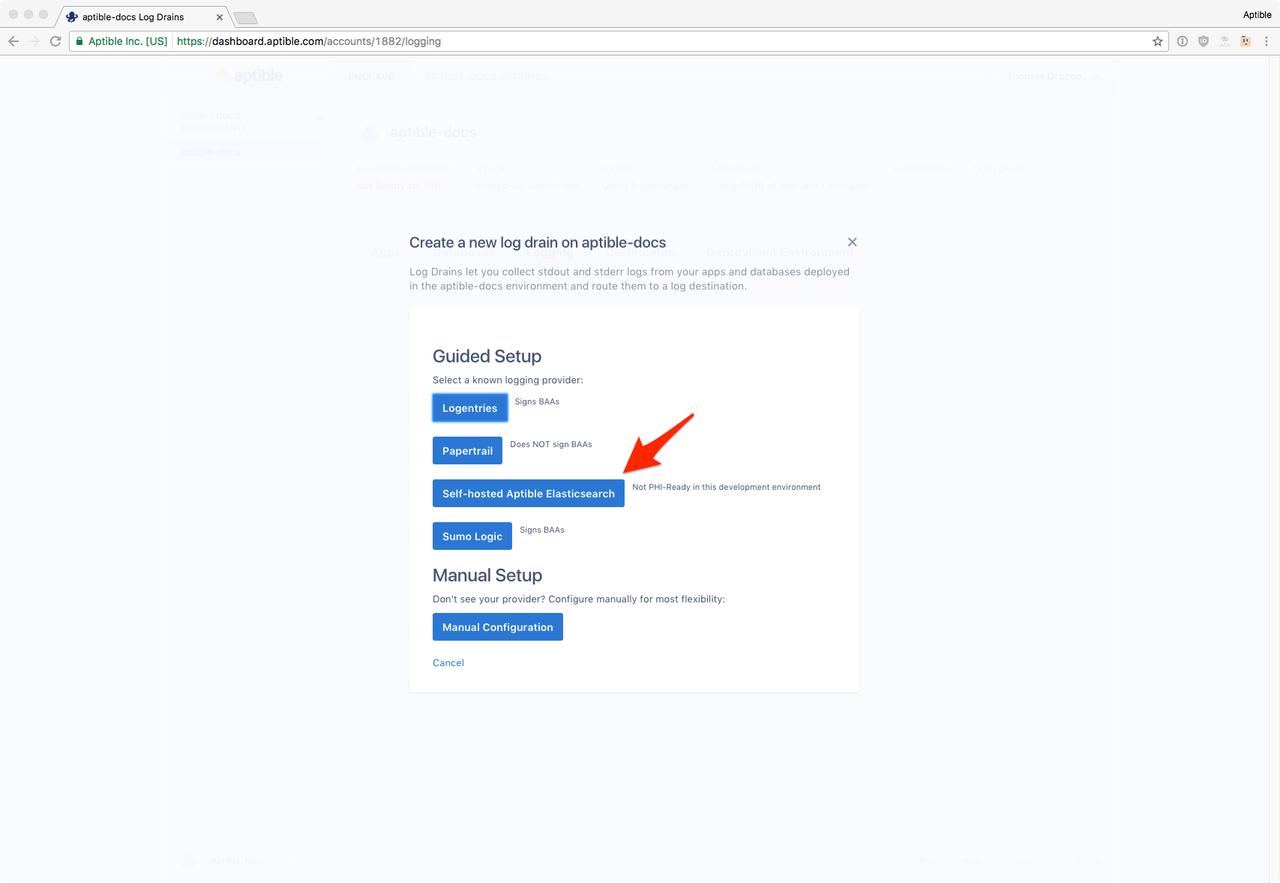
 **Step 2:** Select Elasticsearch as the destination
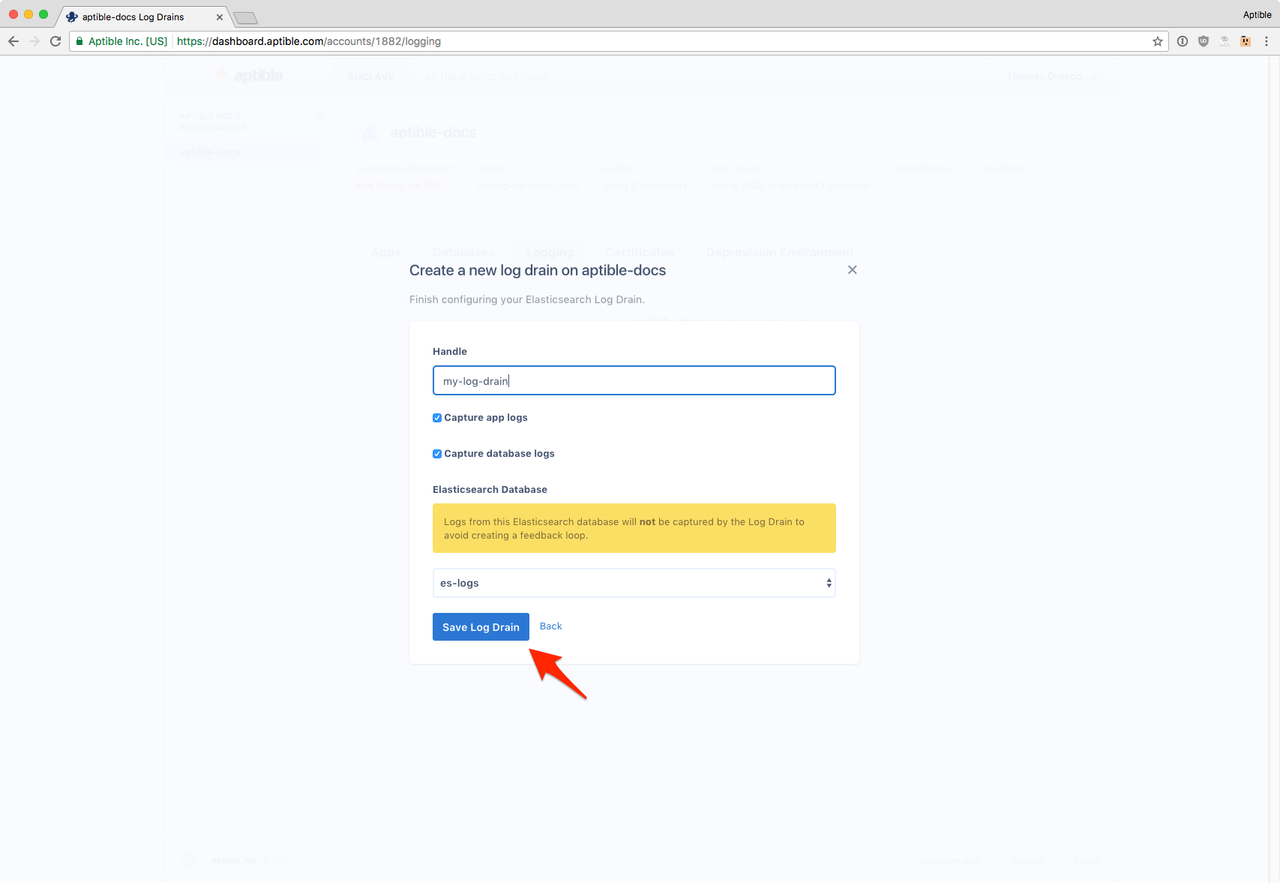
 **Step 3:** Save the Log Drain:
 ## Set up Kibana
Kibana is an open-source, browser-based analytics and search dashboard for Elasticsearch. Follow our [Running Kibana](/how-to-guides/observability-guides/setup-kibana) guide to deploying Kibana on Aptible.
## Set up Log Rotation
If you let logs accumulate in Elasticsearch, you'll need more and more RAM and disk space to store them. To avoid this, set up log archiving. We recommend archiving logs to S3. Follow the instructions in our [Elasticsearch Log Rotation](/how-to-guides/observability-guides/elasticsearch-log-rotation) guide.
## Set up Kibana
Kibana is an open-source, browser-based analytics and search dashboard for Elasticsearch. Follow our [Running Kibana](/how-to-guides/observability-guides/setup-kibana) guide to deploying Kibana on Aptible.
## Set up Log Rotation
If you let logs accumulate in Elasticsearch, you'll need more and more RAM and disk space to store them. To avoid this, set up log archiving. We recommend archiving logs to S3. Follow the instructions in our [Elasticsearch Log Rotation](/how-to-guides/observability-guides/elasticsearch-log-rotation) guide.