> ## Documentation Index
> Fetch the complete documentation index at: https://www.aptible.com/docs/llms.txt
> Use this file to discover all available pages before exploring further.
# How to set and modify configuration variables
Learn how to set and modify app [configuration variables](/core-concepts/apps/deploying-apps/configuration). Setting or modifying app configuration variables always restarts the app to apply the changes. Follow our [synchronize configuration and code changes guide](/how-to-guides/app-guides/synchronize-config-code-changes) to update the app configuration and deploy code using a single deployment.
## Using the Dashboard
Configuration variables can be set or modified in the Dashboard in the following ways:
* While deploying new code by:
* Using the [**Deploy**](https://app.aptible.com/create) tool will allow you to set environment variables as you deploy your code 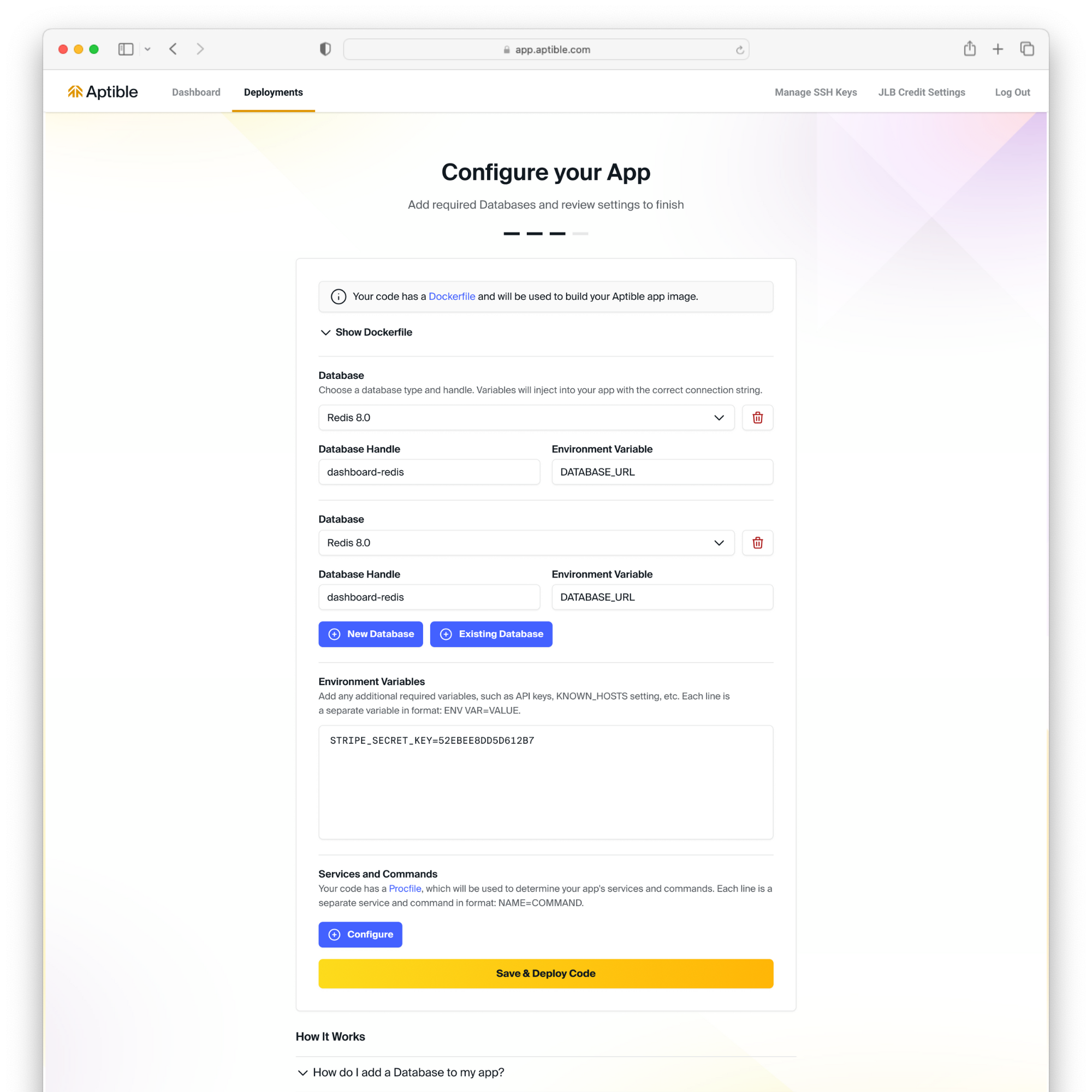 * For existing apps by:
* Navigating to the respective app
* Selecting the **Configuration** tab
* Selecting **Edit** within Edit Environment Variables
* For existing apps by:
* Navigating to the respective app
* Selecting the **Configuration** tab
* Selecting **Edit** within Edit Environment Variables 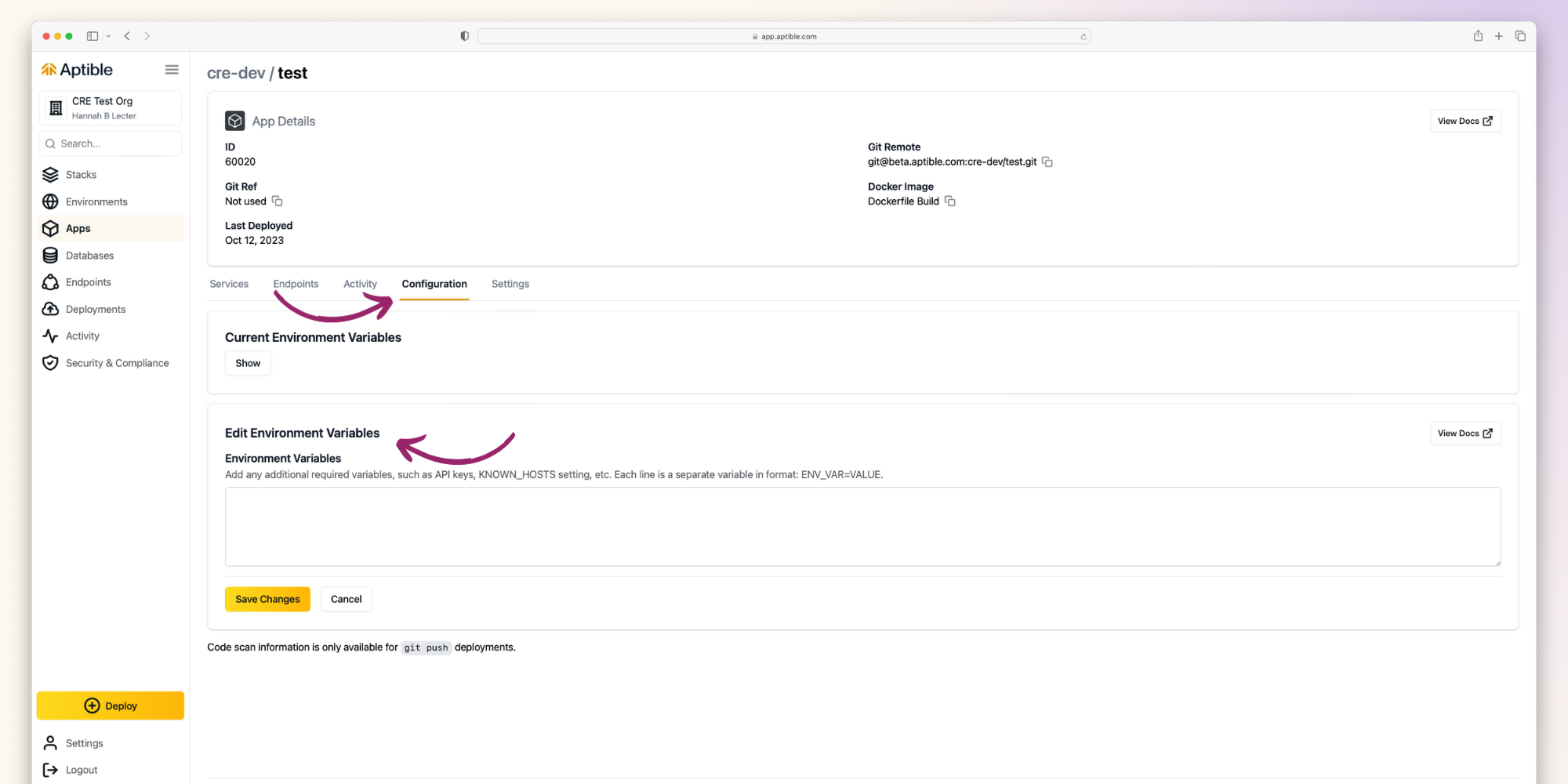 ## Using the CLI
Configuration variables can be set or modified via the CLI in the following ways:
* Using [`aptible deploy`](/reference/aptible-cli/cli-commands/cli-deploy) command
* Using the [`aptible config:set`](/reference/aptible-cli/cli-commands/cli-config-set) command
## Size Limits
A practical limit for configuration variable length is 65,536 characters.
## Using the CLI
Configuration variables can be set or modified via the CLI in the following ways:
* Using [`aptible deploy`](/reference/aptible-cli/cli-commands/cli-deploy) command
* Using the [`aptible config:set`](/reference/aptible-cli/cli-commands/cli-config-set) command
## Size Limits
A practical limit for configuration variable length is 65,536 characters.