> ## Documentation Index
> Fetch the complete documentation index at: https://www.aptible.com/docs/llms.txt
> Use this file to discover all available pages before exploring further.
# Container Profiles
> Learn about using Container Profiles to optimize spend and performance
# Overview
CPU-Optimized (C) and Memory Optimized (R) Container Profiles are only available on [Production and Enterprise plans.](https://www.aptible.com/pricing)
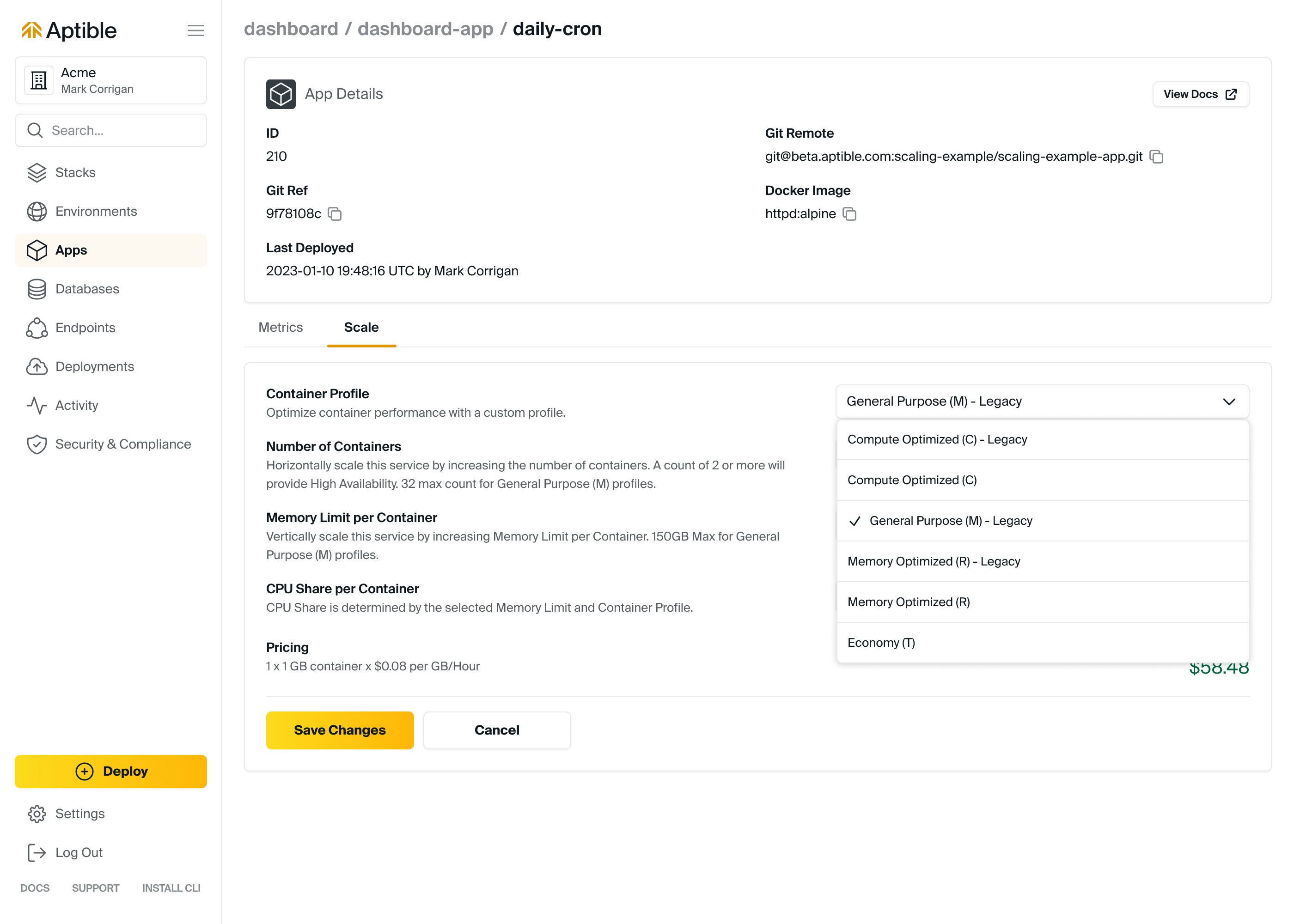
Container Profiles provide flexibility and cost-optimization by allowing users to select the workload-appropriate Profile. Aptible offers three Container Profiles with unique CPU-to-RAM ratios and sizes:
* **General Purpose (M):** The default Container Profile, which works well for most use cases.
* **CPU-Optimized (C):** For CPU-constrained workloads, this Profile provides high-performance CPUs and more CPU per GB of RAM.
* **Memory Optimized (R):** For memory-constrained workloads, this Profile provides more RAM for each CPU allocated to the Container.
The General Purpose (M) Container Profile is available by default on all [Stacks](/core-concepts/architecture/stacks). CPU-Optimized (C) and Memory Optimized (R) Container Profiles are only available on [Dedicated Stacks.](/core-concepts/architecture/stacks#dedicated-stacks)
All new Apps & Databases are created with the General Purpose (M) Container Profile by default. This applies to [Database Backups](/core-concepts/managed-databases/managing-databases/database-backups) and [Database Replicas.](/core-concepts/managed-databases/managing-databases/replication-clustering)
# Specifications per Container Profile
| Container Profile | Default | Available Stacks | CPU:RAM Ratio | RAM per CPU | Container Sizes | Cost |
| -------------------- | ------- | ------------------ | --------------- | ----------- | --------------- | -------------- |
| General Purpose (M) | ✔️ | Shared & Dedicated | 1/4 CPU:1GB RAM | 4GB/CPU | 512MB-240GB | \$0.08/GB/Hour |
| Memory Optimized (R) | | Dedicated | 1/8 CPU:1GB RAM | 8GB/CPU | 4GB-752GB | \$0.05/GB/Hour |
| CPU-Optimized (C) | | Dedicated | 1/2 CPU:1GB RAM | 2GB/CPU | 2GB-368GB | \$0.10/GB/Hour |
# Supported Availability Zones
It is important to note that not all container profiles are available in every AZ, whether for app or database containers.
In the event that this occurs during a scaling operation:
* **App Containers:** Aptible will handle the migration of app containers to an AZ that supports the desired container
profile seamlessly and with zero downtime, requiring no additional action from the user.
* **Database Containers:** However, for database containers, Aptible will prevent the scaling operation and log an error
message, indicating that it is necessary to move the database to a new AZ that supports the desired container profile.
This process requires a full disk backup and restore but can be easily accomplished using Aptible's 1-click "Database
Restart + Backup + Restore.” It is important to note that this operation will result in longer downtime and completion
time than typical scaling operations. For more information on resolving this error, including expected downtime, please
refer to our troubleshooting guide.
# FAQ
Container Profiles can only be modified from the Aptible Dashboard when scaling the app/service or database. The Container Profile will take effect upon restart.