> ## Documentation Index
> Fetch the complete documentation index at: https://www.aptible.com/docs/llms.txt
> Use this file to discover all available pages before exploring further.
# Deploying with Docker Image
> Learn about the deployment method for the most control: deploying via Docker Image
 # Overview
If you need absolute control over your Docker image's build, Aptible lets you deploy directly from a Docker image. Additionally, [Aptible's Terraform Provider](/reference/terraform) currently only supports Direct Docker Image Deployment - so this is a benefit to using this deployment method.
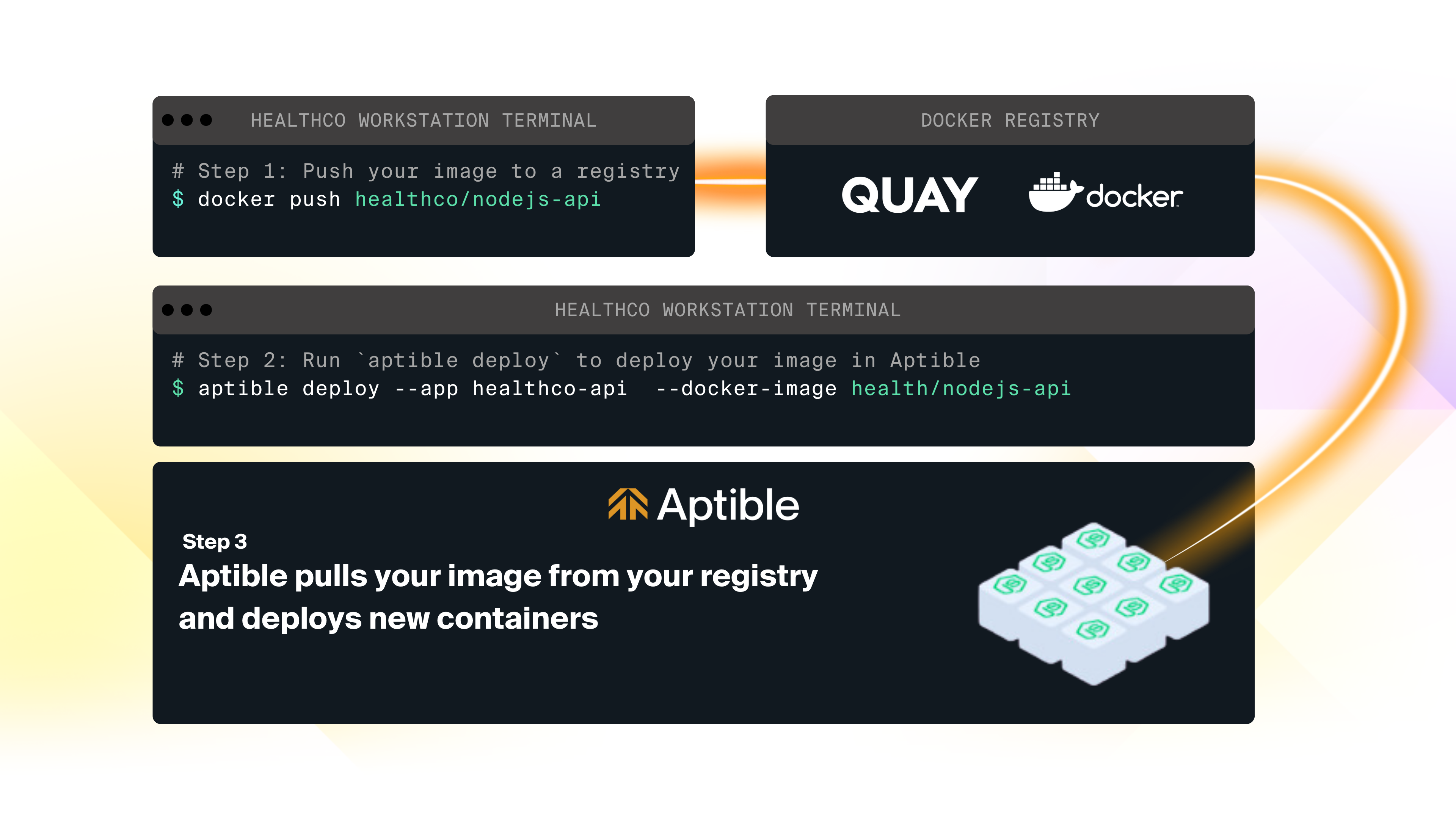
The workflow for Direct Docker Image Deploy is as follows:
1. You build your Docker image locally or in a CI platform
2. You push the image to a Docker registry
3. You use the [`aptible deploy`](/reference/aptible-cli/cli-commands/cli-deploy) command to initiate a deployment on Aptible from the image stored in your registry.
# Private Registry Authentication
You may need to provide Aptible with private registry credentials to pull images on your behalf. Pass them using the `--private-registry-username` and `--private-registry-password` flags on `aptible deploy`, or set `private_registry_username` and `private_registry_password` on the `aptible_app` resource in Terraform.
If you provide registry credentials, Aptible will use them regardless of whether the image you are attempting to pull is public or private.
## Long term credentials
Most Docker image registries provide long-term credentials, which you only need to provide once to Aptible.
With Direct Docker Image Deploy, you only need to provide the registry credentials the first time you deploy.
```javascript theme={null}
aptible deploy \
--app "$APP_HANDLE" \
--docker-image "$DOCKER_IMAGE" \
--private-registry-username "$USERNAME" \
--private-registry-password "$PASSWORD"
```
## Short term credentials
Some registries, like AWS Elastic Container Registry (ECR), only provide short-term credentials. In these cases, you will likely need to update your registry credentials every time you deploy.
With Direct Docker Image Deploy, you need to provide updated credentials whenever you deploy, as if it were the first time you deployed:
```javascript theme={null}
aptible deploy \
--app "$APP_HANDLE" \
--docker-image "$DOCKER_IMAGE" \
--private-registry-username "$USERNAME" \
--private-registry-password "$PASSWORD"
```
# FAQ
See related guide:
See related guide:
See related guide:
# Overview
If you need absolute control over your Docker image's build, Aptible lets you deploy directly from a Docker image. Additionally, [Aptible's Terraform Provider](/reference/terraform) currently only supports Direct Docker Image Deployment - so this is a benefit to using this deployment method.
The workflow for Direct Docker Image Deploy is as follows:
1. You build your Docker image locally or in a CI platform
2. You push the image to a Docker registry
3. You use the [`aptible deploy`](/reference/aptible-cli/cli-commands/cli-deploy) command to initiate a deployment on Aptible from the image stored in your registry.
# Private Registry Authentication
You may need to provide Aptible with private registry credentials to pull images on your behalf. Pass them using the `--private-registry-username` and `--private-registry-password` flags on `aptible deploy`, or set `private_registry_username` and `private_registry_password` on the `aptible_app` resource in Terraform.
If you provide registry credentials, Aptible will use them regardless of whether the image you are attempting to pull is public or private.
## Long term credentials
Most Docker image registries provide long-term credentials, which you only need to provide once to Aptible.
With Direct Docker Image Deploy, you only need to provide the registry credentials the first time you deploy.
```javascript theme={null}
aptible deploy \
--app "$APP_HANDLE" \
--docker-image "$DOCKER_IMAGE" \
--private-registry-username "$USERNAME" \
--private-registry-password "$PASSWORD"
```
## Short term credentials
Some registries, like AWS Elastic Container Registry (ECR), only provide short-term credentials. In these cases, you will likely need to update your registry credentials every time you deploy.
With Direct Docker Image Deploy, you need to provide updated credentials whenever you deploy, as if it were the first time you deployed:
```javascript theme={null}
aptible deploy \
--app "$APP_HANDLE" \
--docker-image "$DOCKER_IMAGE" \
--private-registry-username "$USERNAME" \
--private-registry-password "$PASSWORD"
```
# FAQ
See related guide:
See related guide:
See related guide: